 Animal Rigger Pro
1. Setup
Check the mesh, say what animal it is, and start.
Setup is the only step you can open before anything else. Select the animal's body mesh first; the page says so if nothing is selected.
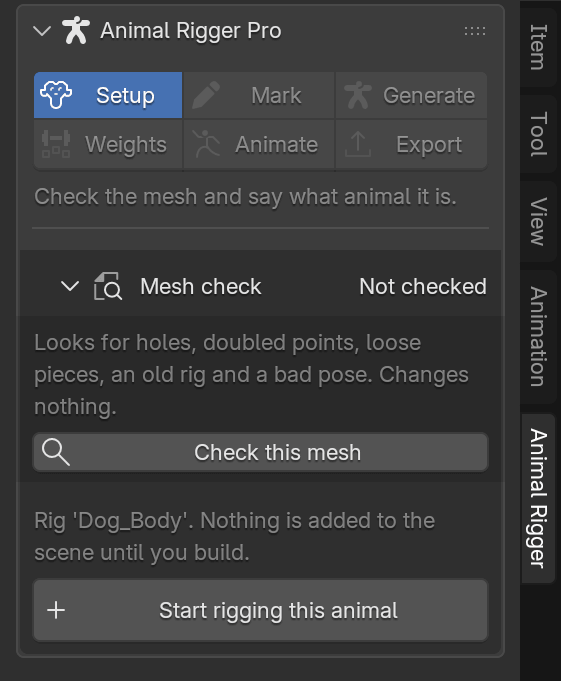
Nothing is added to your scene until you build. Starting an animal only stores its settings on the mesh.
Mesh check
Press Check this mesh. It looks for things that make rigging go wrong, and changes nothing.
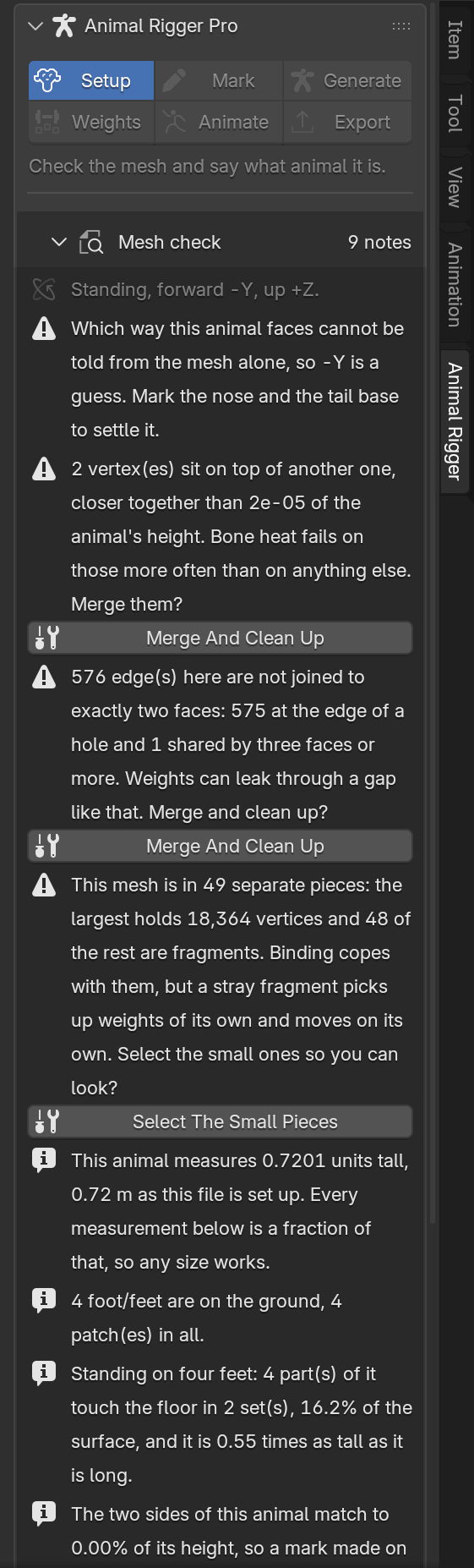
It looks for:
- Holes and loose edges, where weights can leak through.
- Doubled points that sit on top of each other.
- Loose pieces, such as a stray bit of fur that would move on its own.
- An old rig still attached to the mesh.
- A bad pose. The animal must stand on all four feet. Sitting or lying down is refused; mid-stride is allowed with a warning.
- The object's scale, rotation and position, including a mirrored (negative) scale.
- How the two sides match, and where the animal's middle is.
Red rows must be fixed before building. The rest are notes. Where the add-on can fix it for you, a button appears under the row:
| Button | What it does |
|---|---|
| Merge And Clean Up | Joins points that sit on top of each other and removes flat faces. |
| Select The Small Pieces | Selects the small loose pieces so you can look at them. |
| Strip The Old Rig | Takes the old rig off this mesh. The old armature itself is left alone. |
| Fix On A Copy | Makes a copy with the mirrored scale applied, and leaves this one alone. |
| Drop Onto The Floor | Moves the animal down until its feet rest on the floor. |
Every code the check can show is on the problem codes page.
Start the animal
Press Start rigging this animal. The Animal section appears.
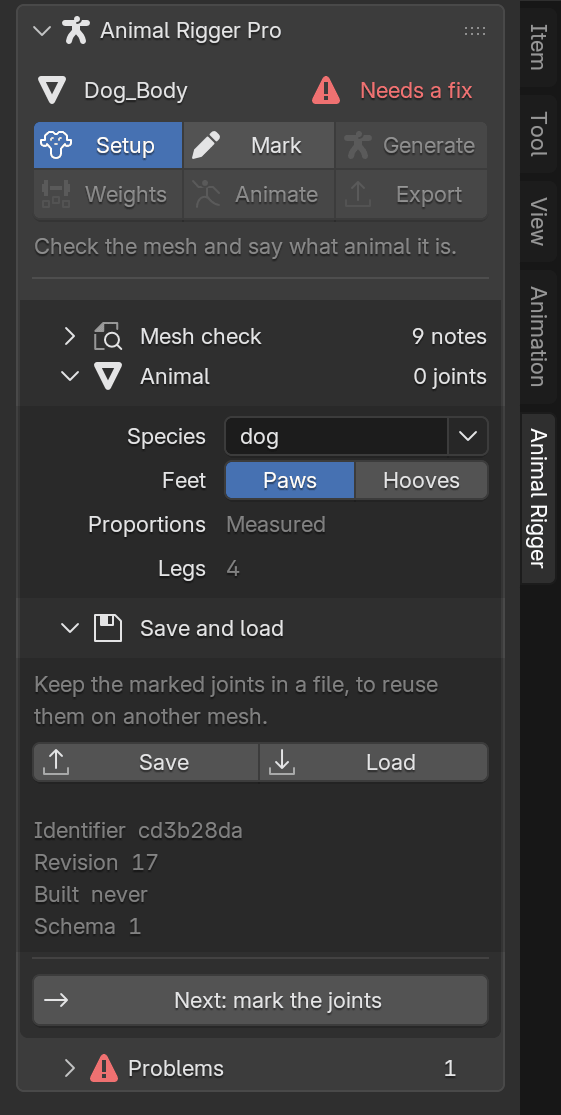
- Species. Type a name or pick one from the list. The feet follow: hooves for a horse, pony, donkey, mule or zebra; paws for the rest.
- Feet. Paws or Hooves. Change it if the species guessed wrong. A hoofed animal asks for five extra points on each hoof; see Hooves.
- Proportions. How well the add-on knows this species' shape. Measured means taken from real animals; Partial and Estimated mean some of it is borrowed from a close species, so check the guessed joints.
- Legs. How many legs the rig will have.
Save and load
Open Save and load to keep the marked joints in a file and reuse them on another mesh of the same animal. See Save and load.
When you are done, press Next: mark the joints.