 Animal Rigger Pro
6. Export
Write the rig out for Unreal, Unity, Godot or any glTF reader.
Add-on 0.1.0 · Blender 5.1 or newer
Export writes the deform bones and a copy of the mesh, with any animation baked. The controls stay in Blender: a game engine needs only the bones that move the skin.
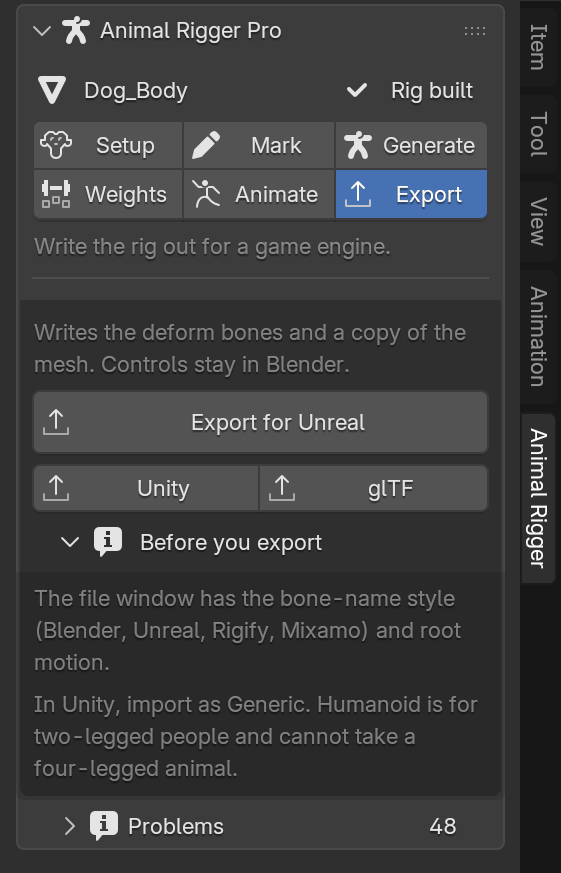
Pick your engine
| Button | Writes | Notes |
|---|---|---|
| Export for Unreal | .fbx | Up to eight bones per point. |
| Unity | .fbx | Import it as Generic, and raise Unity's Skin Weights setting to eight. |
| glTF | .glb | For Godot, the web and other glTF readers. Four bones per point. Also writes a Godot skeleton profile beside it. |
In Unity, do not use Humanoid: it is for two-legged people and cannot take a four-legged animal. The add-on refuses Humanoid and VRM for the same reason.
Options in the file window
The file window that opens has these options on its side:
- Bone names
- Blender:
thigh.L, the rig's own names. The default. - Unreal:
thigh_l, Unreal's side ending. - Rigify:
DEF-thigh.L, for tools made for Rigify rigs. - Mixamo:
mixamorig:LeftThigh, for tools that look for the Mixamo prefix. This is only a spelling; an animal has no Mixamo mapping.
- Blender:
- Root motion. Off by default. On, the root bone carries the animal's travel along the ground and its turn, so the engine can move the character with it.
- Maximum influences (FBX only). Eight keeps the bent legs, back and tail as Blender shows them. Four is for a strict four-bone budget; the bends lose some shape, so check them after export.
What is in the file
- One skeleton under a bone called
root, as one chain from the hips to the head, with the legs and tail hanging from it. The armature is namedArmature, so Unreal adds no extra root. - Plain bones for the bendy ones. Blender's bendy bones become ordinary bones at each joint of the curve, so the skin moves in the engine as it does in Blender.
- The mesh, with its weights renamed to match the bones.
- The animation, when the rig has one: every frame of it, baked onto the bones.
Before you export
- If the page says The marks changed since this rig was built, rebuild first on Generate.
- Messages from the export, such as a name clash or a refused preset, show in Problems. See the problem codes under Export.